
WPGetAPI Pro GPL v3.5.9 | The most powerful WordPress API plugin available
₹199.00
You save
WPGetAPI Pro GPL – Automate your API calls with Actions, format data as HTML or tables, chain multiple API calls together, caching, send form data to your API, send WooCommerce orders, send logged-in user info to your API and so much more.
- Unlimited Website Usage – Personal & Clients
- Original GPL Product From the Developer
- Last Updated –
- Developer Live Preview
GET NOTIFIED WHEN THE PRODUCT IS UPDATED
WPGetAPI Pro GPL
Automate your API with Actions
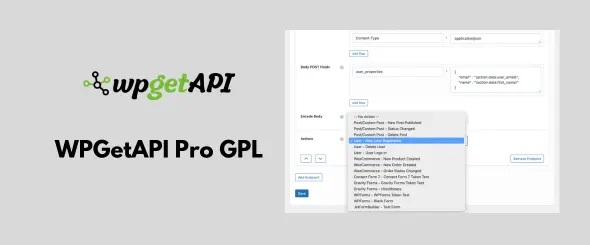
Setup your endpoint and select an Action so that your API is called anytime this action runs. You can then send any piece of data related to this action to your API, without writing a single line of code.
You can use Actions to call your API when:
- A new user registers, logs in, or is deleted
- A new post (or custom post type) is created, deleted, or changes the status
- A WooCommerce product or order is created or changes status
- A form is submitted using Gravity Forms, Contact Form 7, WPForms, JetFormBuilder & more
- A user purchases using Paid Memberships Pro or Easy Digital Downloads
Send any piece of data using Tokens
Tokens open up a world of possibilities for your API connections, with zero code of course!
- A user fills out a form on your website – sends the form data to your API with Tokens.
- A user registers on your site – sends their details to your API with Tokens.
- You’ve made a WooCommerce sale – send the order data to any API with Tokens.
- Get stock levels for products – send SKU to your API with a Token and get the stock back.
Tokens provide functionality to your API connections that would take hours and hours for a developer to implement in code.
Cache API calls
Caching your API calls can improve website performance as well as avoid being charged extra $$ for going over API call limits.
When caching is activated, instead of calling the API every time the page loads, the first visitor’s call to the API will save the API data within your website. Subsequent visitors then access this saved data, avoiding multiple API calls and improving speed.
API call limits can result in data disruption or extra fees. Caching helps manage these limits by letting you set the interval, and determine the maximum daily API calls. For instance, setting the interval to 3600 seconds (1 hour) results in a maximum of 24 daily calls to the endpoint, making it simple to stay within the API’s limits.
Format API data as HTML
The output of your API data can be formatted into HTML by simply adding the format='html' attribute to your shortcode.
This will wrap the entire API output in a div and also wrap individual API items in div, li or span tags (your choice). It also handles nested API data and can also automatically output the API keys as labels.
You can then easily style your new HTML any way you like with CSS. Works with JSON and XML APIs.

Reviews
There are no reviews yet.